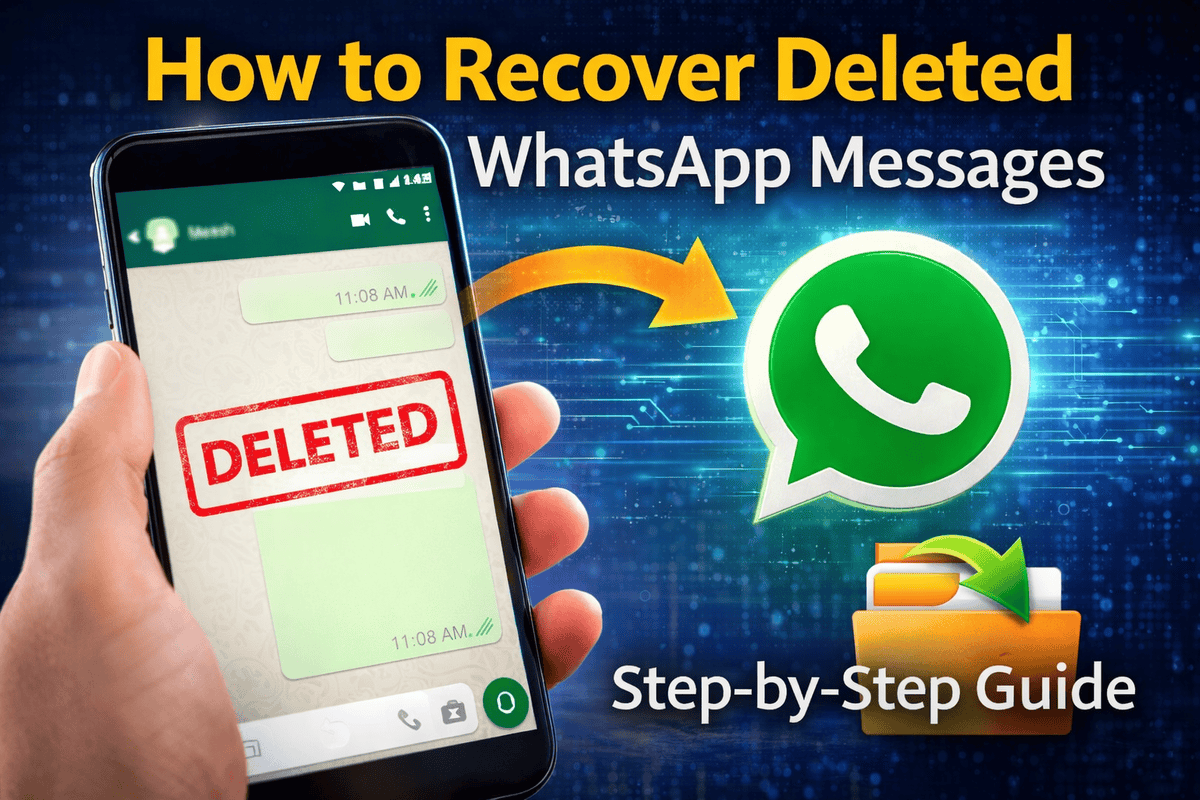
You open WhatsApp, scroll through your chats, and suddenly realize something important is missing.
Maybe it was a message from a client, a password someone sent you, or an important photo. Now the message is gone.
Many users think deleted WhatsApp messages are permanently lost, but that’s not always true. In many cases, you can still recover them using built-in backup features or simple recovery methods.
If you’re searching for how to recover deleted WhatsApp messages, this guide explains the safest and most effective ways to restore them on both Android and iPhone.
Why WhatsApp Messages Get Deleted
Before starting the recovery process, it helps to understand why messages disappear.
Common reasons include:
- accidental deletion of chats
- reinstalling WhatsApp without restoring backup
- switching to a new phone
- clearing phone storage
- automatic message deletion settings
Luckily, WhatsApp includes backup features that allow users to restore WhatsApp chat backup when needed.
Method 1: Recover Deleted WhatsApp Messages Using Backup
The easiest way to perform WhatsApp deleted messages recovery is through the backup system.
WhatsApp automatically stores backups daily, weekly, or monthly depending on your settings.
Steps to restore messages
- Uninstall WhatsApp from your phone.
- Reinstall the app from Google Play Store or Apple App Store.
- Verify your phone number.
- WhatsApp will detect a backup automatically.
- Tap Restore.
Within a few minutes, your old chats will appear again.
This method works best when the deleted messages existed in the last backup.
Recover WhatsApp Messages on Android
Android devices use Google Drive backup for WhatsApp chats.
Steps for WhatsApp Google Drive backup restore
Follow these instructions carefully:
- Open WhatsApp Settings
- Tap Chats → Chat Backup
- Check the last backup date
- Reinstall WhatsApp
- Restore from Google Drive
Once the restoration completes, you should see the recovered messages.
Make sure you log in using the same Google account used for the backup.
Recover WhatsApp Messages on iPhone
iPhones store chat backups using iCloud backup recovery.
Steps to restore chats on iPhone
- Open WhatsApp
- Go to Settings → Chats → Chat Backup
- Check the last backup date
- Delete WhatsApp from your device
- Reinstall the app
- Restore from iCloud
After restoration finishes, your deleted chats should appear again.
Keep in mind that this method only works if a backup existed before the messages were deleted.
Recover Messages Without Backup
If you did not enable backups, recovery becomes more difficult but still possible.
Some methods include:
- checking notification history
- using third-party recovery tools
- reviewing exported chats
- checking old phone backups
However, third-party apps should be used carefully because some may compromise your data privacy.
Always download recovery software from trusted developers.
Check Notification History (Android Trick)
Many Android phones save notification logs.
If someone sends a message and deletes it quickly, the notification may still contain the original text.
Steps
- Install a notification history app.
- Enable notification access.
- Open WhatsApp notifications.
Sometimes this method helps you view deleted WhatsApp messages even after they disappear from chats.
How to Prevent Losing Messages in the Future
Losing messages can be frustrating, especially when they contain important information.
To avoid this problem in the future, make sure backups are always active.
Recommended settings
- Enable daily WhatsApp backup
- Use Wi-Fi for automatic backup
- Store backups in Google Drive or iCloud
- Export important chats regularly
These simple habits make WhatsApp deleted messages recovery much easier.
Pro-Tip (Expert Insight)
Many people think backups happen automatically, but sometimes they stop working without notice.
Experts recommend checking your backup settings once a month.
Here’s what to verify:
- last backup date
- connected Google Drive or iCloud account
- available storage space
- automatic backup frequency
A working backup is the most reliable way to recover deleted WhatsApp messages.
Can Deleted WhatsApp Messages Be Recovered After Months?
Recovery depends entirely on backups.
If your backup stored those messages, restoration works even months later.
However, if the backup happened after the deletion, those messages may already be overwritten.
That’s why frequent backups are extremely important.
Is It Safe to Use WhatsApp Recovery Apps?
Some recovery tools claim to restore deleted chats without backup.
While a few legitimate tools exist, many apps collect user data or request unnecessary permissions.
Before installing any recovery software, always check:
- developer reputation
- user reviews
- privacy policy
Whenever possible, rely on official WhatsApp backup methods instead.
FAQs
Can I recover WhatsApp messages deleted by the sender?
Yes, you can often view messages that were “deleted for everyone” by checking your Notification History on Android devices. Since the original message content is captured by the system notification log before being retracted in the app, you can use a notification history app to read the text.
How can I restore deleted WhatsApp chats without a backup?
Restoring messages without a Google Drive or iCloud backup is difficult but not impossible. You can check your Android phone’s local storage for older database files (msgstore.db.crypt), use professional third-party recovery tools, or check if you have an exported copy of the chat in your email.
Will uninstalling WhatsApp recover my deleted messages?
Uninstalling and reinstalling WhatsApp is the standard way to trigger a backup restoration. When you reinstall and verify your number, the app will search for the most recent backup on Google Drive or iCloud. If the deleted messages were included in that last backup, they will be restored to your chat list.
How long do deleted WhatsApp messages stay on the phone?
If you haven’t backed up your data, messages deleted on Android might stay in your local backup files for up to 7 days. However, once a new backup is created, the old one is often overwritten. For cloud backups, once a message is deleted and a new backup cycle completes, the message is usually permanently removed from the cloud.
Are third-party WhatsApp recovery apps safe to use?
While some third-party tools are legitimate, many can be a privacy risk as they require deep access to your personal data. It is always recommended to use official methods like Google Drive or iCloud restore first. If you must use a third-party app, ensure it is from a reputable developer and check user reviews for safety.
Final Thoughts
Accidentally deleting chats happens more often than people expect.
Fortunately, learning how to recover deleted WhatsApp messages is not complicated if you understand the backup system.
Most users can restore their conversations using:
- Google Drive backup on Android
- iCloud backup on iPhone
- notification history tools
- third-party recovery software (carefully)
The best strategy, however, is prevention.
Enable automatic backups today so your messages stay safe even if something goes wrong.