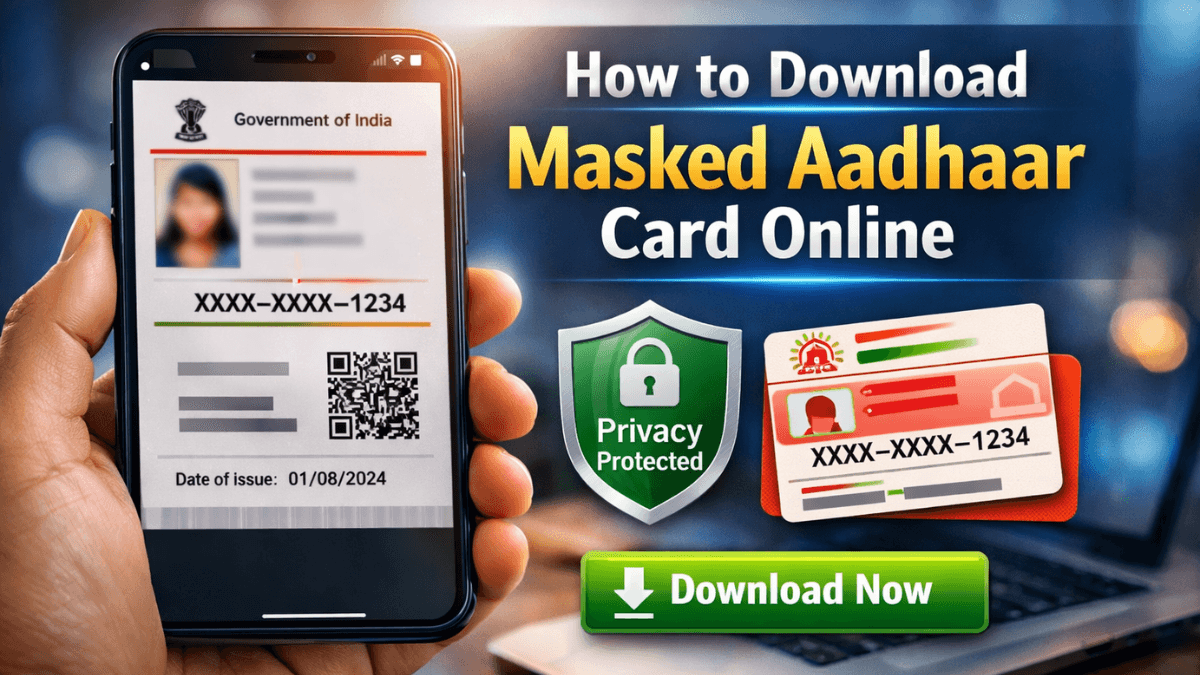
Your Aadhaar number is sensitive. Sharing all 12 digits everywhere is not always safe.
That’s exactly why many people now want to know how to download masked Aadhaar card online instead of using the regular version.
The good news? It takes less than 5 minutes. You don’t need to visit any center. And you don’t need any agent.
In this guide, I’ll explain everything in simple language — what a masked Aadhaar is, why you should use it, and how to download it safely from the official portal of Unique Identification Authority of India.
Let’s get started.
What Is a Masked Aadhaar Card?
A masked Aadhaar is a special version of your Aadhaar card.
Instead of showing your full 12-digit number, it hides the first 8 digits. Only the last 4 digits are visible.
Example:
XXXX-XXXX-1234
That’s it.
Your name, photo, QR code, and other details remain the same. Only the number gets partially hidden.
According to UIDAI, a masked Aadhaar is legally valid and can be used as identity proof in many places.
So, if someone only needs identity verification, this version protects your privacy.
Why You Should Use a Masked Aadhaar
Let’s be honest. Today, we submit Aadhaar copies for:
- Hotel check-ins
- Job applications
- SIM card verification
- Online KYC
- Exam registrations
But not everyone needs your full Aadhaar number.
Here’s why masked Aadhaar is safer:
Better Privacy
It hides most of your Aadhaar number.
Reduces Misuse Risk
Even if someone keeps a copy, they don’t have full details.
Government Approved
It is officially allowed by UIDAI.
In simple words: share less, stay safer.
How to Download Masked Aadhaar Card Online (Official Method)
Now let’s answer the main question — how to download masked Aadhaar card online from the official website.
Follow these steps carefully.
Step 1: Visit the Official UIDAI Website
Go to the official portal of Unique Identification Authority of India Visit myaadhaar.uidai.gov.in..
Avoid third-party websites. Always download from the official source.
Step 2: Click on “Download Aadhaar”
Under the “My Aadhaar” section, choose “Download Aadhaar.”
You will see options to download using:
- Aadhaar number
- Enrollment ID (EID)
- Virtual ID (VID)
Choose whichever you have.
Step 3: Enter Required Details
Fill in:
- Aadhaar number (or VID/EID)
- Captcha code
Then click “Send OTP.”
An OTP will come to your registered mobile number.
Enter the OTP.
Step 4: Select “Do You Want a Masked Aadhaar?”
This is the most important step.
Before downloading, you will see a checkbox:
“Do you want a masked Aadhaar?”
Tick this box.
If you don’t tick it, you’ll download the regular version.
Step 5: Download the PDF
Click “Verify & Download.”
Your masked Aadhaar PDF will download instantly.
Simple. No fees. No agent required.
What Is the Password for Masked Aadhaar PDF?
Many people get confused here.
The downloaded PDF is password protected.
The password format is:
First 4 letters of your name (in CAPITAL letters) + Year of birth (YYYY)
Example:
Name: RAHUL
Year of Birth: 1990
Password: RAHU1990
This rule is defined by UIDAI.
Masked Aadhaar vs Regular Aadhaar (Quick Comparison)
| Feature | Masked Aadhaar | Regular Aadhaar |
|---|---|---|
| Shows full Aadhaar number | ❌ No | ✅ Yes |
| Privacy level | High | Normal |
| Legally valid | Yes | Yes |
| Recommended for sharing | Yes | Not always |
If privacy matters, masked Aadhaar is the smarter choice.

Is Masked Aadhaar Valid Everywhere?
According to UIDAI, masked Aadhaar is valid as identity proof.
However, in some cases like government subsidy verification or bank seeding, authorities may ask for the full Aadhaar number.
For general KYC or ID proof, masked Aadhaar usually works fine.
When in doubt, confirm with the institution.
Can You Download Masked Aadhaar Without Registered Mobile Number?
No.
To download Aadhaar online, your mobile number must be linked.
If your number is not registered, you must visit an Aadhaar Seva Kendra.
You can also book an appointment through the official portal of UIDAI.
(Internal link suggestion: “How to Update Mobile Number in Aadhaar”)
Is It Safe to Download Aadhaar Online?
Yes — if you use the official UIDAI website.
Keep these safety tips in mind:
- Never share OTP with anyone
- Do not download from unknown websites
- Avoid cyber café systems
- Delete extra copies after use
Also, consider generating a Virtual ID (VID) for extra privacy.
(Internal link suggestion: “What is Aadhaar Virtual ID?”)
Key Takeaways
- Masked Aadhaar hides the first 8 digits of your Aadhaar number.
- It is officially valid according to UIDAI.
- You can download it in 5 minutes from the official website.
- Always tick the “masked Aadhaar” option before downloading.
- Use it for safer identity sharing.
Frequently Asked Questions (FAQs)
1. Is masked Aadhaar legally valid?
Yes. UIDAI confirms that masked Aadhaar is valid as identity proof.
2. Does masked Aadhaar have a QR code?
Yes. It contains a secure QR code for verification.
3. Can banks accept masked Aadhaar?
Some banks accept it for KYC, but for linking accounts, full Aadhaar may be required.
4. Is there any fee to download masked Aadhaar?
No. It is completely free on the official UIDAI portal.
5. How many times can I download masked Aadhaar?
There is no fixed limit. You can download it whenever needed.
Protect Your Aadhaar, Protect Yourself
Your Aadhaar number is important. But sharing all 12 digits everywhere is not necessary.
Now that you clearly understand how to download masked Aadhaar card online, you can protect your identity while still completing verification work easily.
It takes just a few clicks.
Next time someone asks for Aadhaar copy, pause and ask yourself — do they really need the full number?
If not, use the masked version.
Stay safe. Stay smart.